Dev
Saola: A Grasshopper Plugin Built on ETABSharp
Saola is the Grasshopper plugin built on ETABSharp: three layers, a model connection that passes through every component, and typed results instead of try/catch. Why each part is shaped that way.
On this page8 sections
In the last post, I introduced ETABSharp — a C# wrapper that makes the ETABS COM API typed, composable, and actually enjoyable to work with.
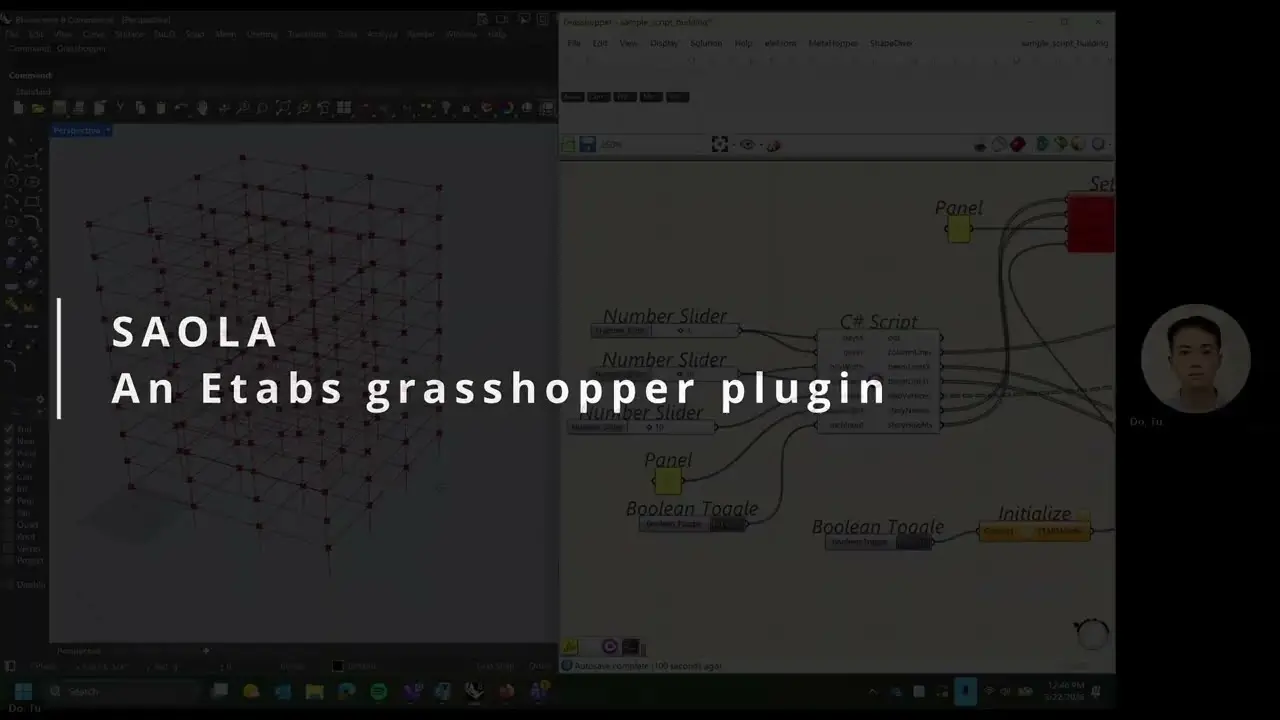
That was the foundation. Saola is what you can build on top of it: a Grasshopper plugin that lets structural engineers drive ETABS directly from the GH canvas — draw geometry in Rhino, wire it through Saola components, and watch the structural model appear in ETABS in real time.
Why Grasshopper?
Grasshopper is already where parametric structural geometry lives. Architects and engineers use it to explore floor plate shapes, structural grids, facade systems. But getting that geometry into ETABS has always meant an export step, a manual import, and a lot of reformatting.
Saola closes that gap. The geometry stays in Rhino. ETABS stays open. A single button push syncs them.
Architecture: three layers
Saola is deliberately split into three layers, each with a clear responsibility.
1. Saola.Core — the logic layer
All structural logic lives here, and it has zero Grasshopper dependency.
// Pure C# — no GH types, no canvas, no DA object
public static BatchResult AddFramesByLines(
    ETABSModel model,
    IList<Line> lines,
    string section,
IList<string>? userNames = null)FrameService, AreaService, StoryService, and EtabsTableQueryService are all
static classes that take an ETABSModel and return a typed result. No Grasshopper
types anywhere.
This means the same logic can run in:
- A Grasshopper component
- A private, unreleased Tauri desktop application under development (
EtabExtension) - A CLI batch script
- A unit test
No copy-paste, no duplication. One service, every context.
2. GH_ETABSModel — the connection wrapper
Grasshopper needs a typed wrapper to pass the ETABS connection
through wires on the canvas. GH_ETABSModel is that wrapper —
it extends GH_Goo<ETABSApplication> and gives the wire a name,
a type identity, and a human-readable label.
public override string TypeName => "ETABSModel";

public override string ToString() =>
    Value is null
        ? "No ETABS connection"
        : $"ETABS {Value.FullVersion}";
On the canvas, engineers see ETABSModel wires in a distinct color —
visually separate from geometry or text wires. Type-checking happens
at wire time, not at solve time.
3. GH components — the thin shell
Each component does exactly four things:
- Read inputs via
DA - Validate and return early with a
GH_RuntimeMessage - Call the service, check the typed result
- Write outputs via
DA
Here’s SetStoriesComponent — the simplest example since it uses ServiceResult:
protected override void SolveInstance(IGH_DataAccess DA)
{
    // 1. read
    if (!DA.GetDataList(0, storyNames) || storyNames.Count == 0) { ... return; }
    if (!DA.GetDataList(1, storyHeights) || storyHeights.Count == 0) { ... return; }
    DA.GetData(2, ref baseElevation);
    if (!DA.GetData(3, ref modelGoo) || modelGoo?.Value is null) { ... return; }

    // 2. call service — no try/catch needed
    var result = StoryService.SetStories(
        modelGoo.Value.Model, storyNames, storyHeights, baseElevation);

    // 3. check result
    if (!result.IsSuccess)
    {
        AddRuntimeMessage(GH_RuntimeMessageLevel.Error, result.Message);
        return;
    }

    // 4. write outputs
    AddRuntimeMessage(GH_RuntimeMessageLevel.Remark, result.Message);
    DA.SetData(0, modelGoo);
}
DrawFrames follows the same shape but checks BatchResult instead, surfacing
per-item warnings without aborting the whole batch:
    var result = FrameService.AddFramesByLines(
        modelGoo.Value.Model, lines, section,
        userNames.Count > 0 ? userNames : null);

    foreach (var (index, message) in result.Errors)
        AddRuntimeMessage(GH_RuntimeMessageLevel.Warning, message);

    DA.SetDataList(0, result.Names);
    DA.SetData(1, modelGoo);
The component doesn’t know what a frame or a story is. It just moves data.
The passthrough pattern
Every Saola component takes ETABSModel as its last input and
passes it through as its last output — unchanged.
This lets you chain components like sentences:
Initialize → SetStories → DrawFrames → DrawAreas → ExtractTableThe connection flows left to right. Engineers read the canvas the same way they’d read a workflow diagram.
This pattern comes from DiaStrut, an earlier plugin that established the convention. Saola inherits it.
The result types
Every service returns a typed result. No component ever wraps a service call in try/catch — error handling belongs in the service, not the shell.
There are three result types, each matched to the operation:
BatchResult — for element creation (FrameService, AreaService).
Collects per-item errors so a batch of fifty lines doesn’t abort on the first
bad input. Successful items are created; failed items surface as GH warnings
pinned to the component with their index.
public sealed class BatchResult
{
    public List<string> Names { get; } = new();
    public Dictionary<int, string> Errors { get; } = new();
    public bool HasErrors => Errors.Count > 0;
    public bool AllFailed => Names.All(string.IsNullOrEmpty);
}
ServiceResult — for single operations (StoryService).
Success or fail with a message. The component checks IsSuccess and
emits either a Remark or an Error — no exception handling needed.
public sealed class ServiceResult
{
    public bool IsSuccess { get; init; }
    public string Message { get; init; } = string.Empty;

    public static ServiceResult Ok(string message = "") => ...;
    public static ServiceResult Fail(string message) => ...;
}
TableQueryResult — for table queries (EtabsTableQueryService).
Returns structured rows and field keys, or a descriptive error if the
fetch failed (model not analysed, bad table key, load selection empty).
The component layer becomes a clean read → call → check → write pattern with no exception logic anywhere.
The session singleton
Grasshopper’s SolveInstance fires on every recompute — which can mean
dozens of times per session. Without care, each recompute would open
a new COM connection to ETABS, which is slow and destabilizing.
ETABSSession holds one live connection and reuses it:
public static ETABSApplication? GetOrConnect()
{
    if (_instance == null || !IsAlive(_instance))
        _instance = ETABSWrapper.Connect(NullLogger<ETABSApplication>.Instance);

    return _instance;
}
IsAlive probes the connection by calling app.FullVersion.
If ETABS was closed and reopened, the next recompute reconnects automatically.
Engineers don’t have to think about connection state.
Getting results back
Writing geometry into ETABS is half the workflow. The other half is getting analysis results back out — without leaving the canvas.
ExtractTable does this. It wraps EtabsTableQueryService, a self-contained
query layer in Saola.Core (no CLI dependency), and surfaces any ETABS
database table in three outputs:
| Output | Type | What it carries |
|---|---|---|
Rows | DataTree<string> | One branch per row; items are the field values in header order |
Headers | List<string> | Column names, parallel to the items in each Rows branch |
JSON | string | The whole table as JSON, ready to write to a file or to Excel |
Load selection follows the same null / ["*"] / specific-names contract
used across the rest of the codebase:
| Wire state | What is passed | What you get |
|---|---|---|
LC / LX disconnected | null | Geometry tables — Story Definitions, Pier Section Properties |
| Connected but left blank | ["*"] | Every case or combination |
"DEAD,LIVE,EQX" | those names | Exactly that selection |
The query service always resets ETABS display selection back to all-selected after each fetch, so successive GH solves start from a known clean state.
Reading individual values
Once you have Rows and Headers, picking a specific column value is a
one-liner in a standard GH C# Script component:
// inputs: rows (DataTree<string>), headers (List<string>),
//         column (string), row (int)
private void RunScript(DataTree<string> rows, List<string> headers,
                       string column, int row, ref object Value)
{
    var colIndex = headers.IndexOf(column);
    if (colIndex < 0) { Value = $"Column '{column}' not found"; return; }

    var path = new GH_Path(row);
    if (!rows.PathExists(path)) { Value = $"Row {row} not found"; return; }

    Value = rows.Branch(path)[colIndex];
}
This deliberately lives in a C# Script rather than a dedicated Saola component.
A value picker doesn’t need typed wires, batch error handling, or session
management — the things that justify a real component. Keeping it as a script
also signals to engineers that ExtractTable’s outputs are composable with
standard GH tooling, not locked into Saola-specific components.
The full canvas chain ends up looking like this:
Initialize → SetStories → DrawFrames → DrawAreas → ExtractTable
                                                    ↓         ↓
                                              C# Script   JSON Panel
                                             (FX, FY per
load case)Current components
| Component | Category | What it does |
|---|---|---|
Initialize | Connection | Connects to running ETABS, outputs ETABSModel |
SetStories | Model | Defines story levels — must run before geometry |
DrawFrames | Frames | Creates frame elements from lines + section name |
DrawAreas | Areas | Creates area elements from closed vertex trees |
ExtractTable | Results | Queries any ETABS database table → Rows, Headers, JSON |
More components are in progress — loads, supports, section assignment, and dedicated result extractors for drift, pier forces, and modal mass ratios.
Get it
Saola is built on top of ETABSharp. You’ll need both:
dotnet add package EtabSharp --prerelease- ETABSharp GitHub: github.com/tadoEng/EtabSharp
- Saola source: github.com/tadoEng/Saola
If you’re building Grasshopper tooling for structural engineering, or want to try Saola on a real project, reach out — I’m happy to talk through how the architecture fits different workflows.