Dev
Building ETABSharp: A C# Wrapper for the ETABS API
ETABSharp is a typed C# wrapper over the ETABS COM API: session lifecycle handled, return codes turned into typed results, the full surface still reachable, and a shape an LLM can write against.
On this page5 sections
The ETABS API is powerful. It exposes almost everything — model geometry, load cases, analysis results, design checks. But working with it directly is painful.
Methods are stringly typed. There’s no IntelliSense guidance on what parameters mean.
Error handling is COM-era ref parameters. You end up writing the same boilerplate
fifty times per script.
ETABSharp is a C# wrapper that fixes this.
The raw API
The pain is not only one API call. In real automation, you have to orchestrate stateful ETABS sessions safely:
- Mode A — attach to a running ETABS and never kill the user’s app
- Mode B — start a hidden ETABS instance, run a batch task, and always close it
- Handle model lock/unlock before edits
- Suppress save prompts in unattended flows
- Check dozens of integer return codes (
ret != 0) after every operation
This is the kind of control flow you end up writing:
ETABSApplication? app = null;
try
{
    // Mode B: create isolated hidden ETABS
    app = ETABSWrapper.CreateNew(startApplication: true);
    if (app == null) throw new Exception("Failed to create ETABS instance.");

    app.Application.Hide();

    int openRet = app.Model.Files.OpenFile(TEST_MODEL_PATH);
    if (openRet != 0) throw new Exception($"OpenFile failed: {openRet}");

    if (app.Model.ModelInfo.IsLocked())
        app.Model.ModelInfo.SetLocked(false);

    int analysisRet = app.Model.Analyze.RunCompleteAnalysis();
    if (analysisRet != 0) throw new Exception($"RunCompleteAnalysis failed: {analysisRet}");

    int saveRet = app.Model.Files.SaveFile(TEST_MODEL_PATH);
    if (saveRet != 0) throw new Exception($"SaveFile failed: {saveRet}");
}
finally
{
    // Critical: hidden instance must always be closed
    if (app != null) app.Application.ApplicationExit(false);
}
And if you need joint displacement from raw COM, you still have the long
Results.JointDispl(...) signature with many ref arrays.
The ETABSharp approach
ETABSharp wraps the common automation paths so the intent is clearer. For example, in your sidecar tests:
var app = ETABSWrapper.Connect(); // Mode A: attach to running ETABS
if (app == null) return;

var filePath = app.Model.ModelInfo.GetModelFilename(includePath: true);
var isLocked = app.Model.ModelInfo.IsLocked();
var caseStatuses = app.Model.Analyze.GetCaseStatus();
var isAnalyzed = caseStatuses.Any(cs => cs.IsFinished);

Console.WriteLine($"File: {filePath}");
Console.WriteLine($"Locked: {isLocked}");
Console.WriteLine($"Analyzed: {isAnalyzed}");

// Typed wrapper result instead of manual COM ref arrays
var jointDispl = app.Model.AnalysisResults.GetJointDispl("Joint28", eItemTypeElm.GroupElm);
Console.WriteLine($"Joint displacement rows: {jointDispl.NumberResults}");
Same ETABS power, but cleaner orchestration and safer session lifecycle rules.
Architecture decisions
1. Thin wrapper, not an abstraction
ETABSharp wraps the ETABS COM API — it doesn’t try to replace it. Every method maps 1:1 to an ETABS API call. This means:
- The full API surface is available
- Behaviour is predictable — if ETABS does it, ETABSharp can do it
- No magic or hidden logic
2. Result types instead of ref parameters
Every output is a strongly typed result object:
public class JointDisplacementResult
{
    public string ObjectName { get; set; } = string.Empty;
    public string ElementName { get; set; } = string.Empty;
    public string LoadCase { get; set; } = string.Empty;
    public string StepType { get; set; } = string.Empty;
    public double StepNum { get; set; }

    public double U1 { get; set; }  // translation, global X
    public double U2 { get; set; }  // translation, global Y
    public double U3 { get; set; }  // translation, global Z

    public double R1 { get; set; }  // rotation about global X
    public double R2 { get; set; }  // rotation about global Y
    public double R3 { get; set; }  // rotation about global Z
}
GetJointDispl returns a JointDisplacementResults collection of these, which
is the part that replaces the ref arrays: the rotations come back named rather
than as positions 4, 5 and 6 of an array you sized yourself.
3. Fluent access pattern
Results come straight from the API where the API has a method for them. Where it does not — material properties, for one — the same navigation reaches the database table instead, so both paths read the same way at the call site.
var app = ETABSWrapper.Connect();

// Navigate to what you need
var frameForces = app.Model
    .AnalysisResults
    .GetFrameForce("level6", eItemTypeElm.GroupElm);

// Get table from etabs model
var tableResults = app.Model
    .DatabaseTables
    .GetTableForDisplayArray(tableKey, fieldKeys, group);
The AI layer
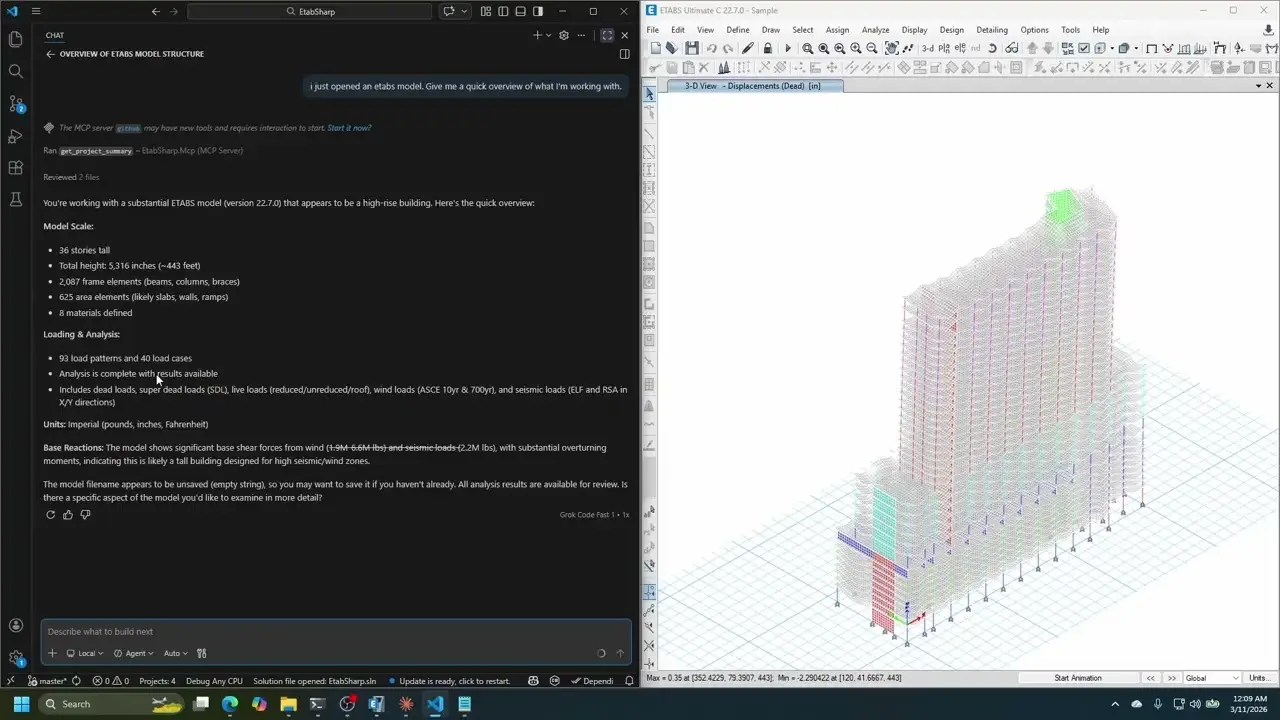
The reason for the clean API isn’t the clean API. It’s what sits on top of it: an MCP server in the same repository, so an assistant can call the wrapper instead of asking me to read the model out loud.
That is the next post.
Get it
- GitHub: github.com/tadoEng/EtabSharp
- Doc: deepwiki.com/tadodev/EtabSharp
- NuGet:
dotnet add package EtabSharp --prereleaseEvery published version is a beta, so --prerelease is required and a pinned
version goes stale the week after it is written.
If you’re automating ETABS with C# and you have questions, open an issue or reach out. I use this in production work every week.